
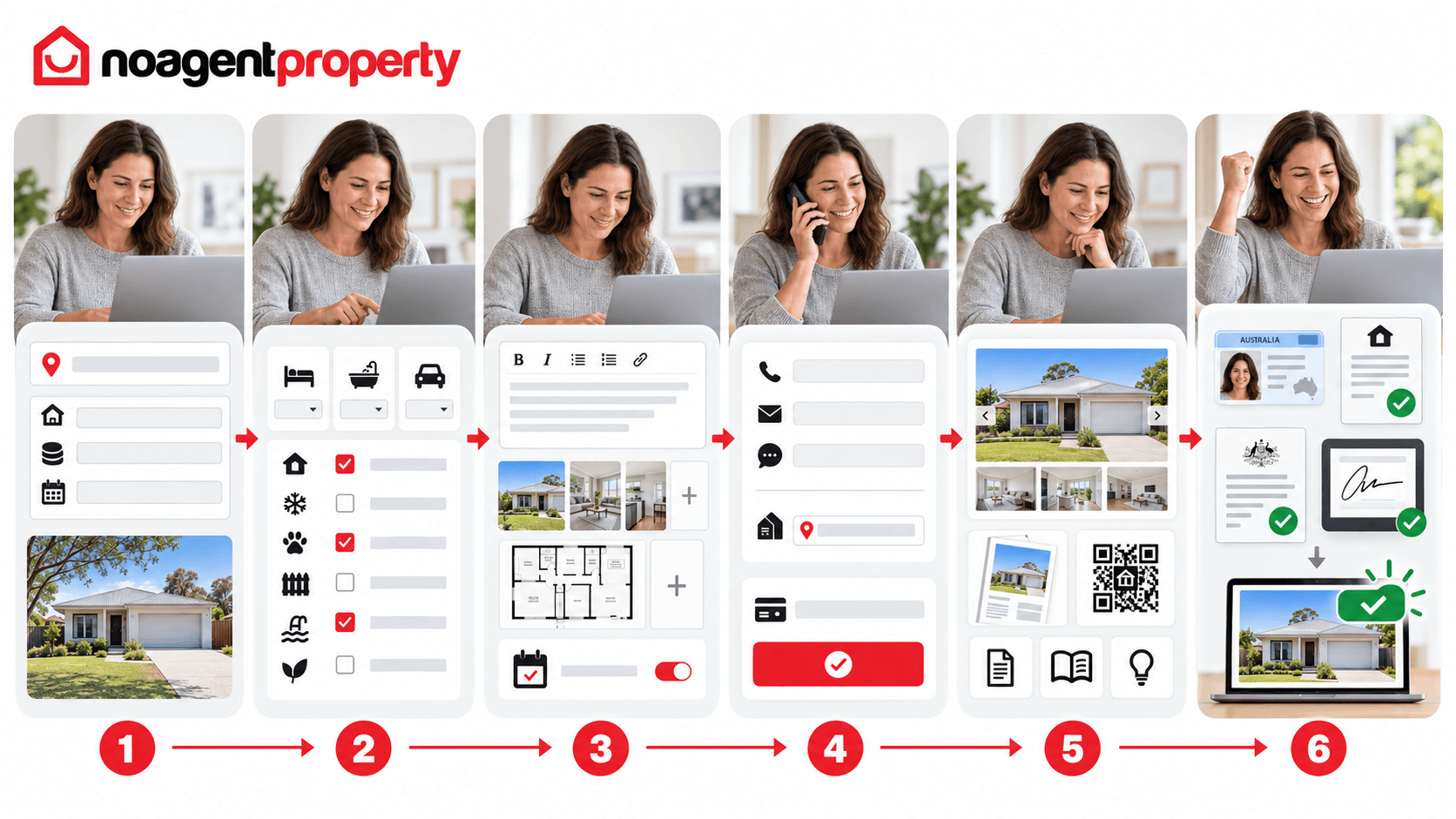
Creating your rental listing takes about 15–20 minutes if you have your details ready:
- Enter the address. A full address is recommended over suburb-only - suburb-only listings won't display your open home times.
- Set the rent and bond. Enter the weekly rent (the standard format tenants expect), then the bond, which is commonly four weeks' rent, subject to your state's or territory's requirements.
- Choose the availability date - when the property will be ready for tenants to move in.
- Add property details - property type, bedrooms, bathrooms and car spaces. Land size, floor area and energy rating are optional.
- Select features - internal, external, security and other features from the categories provided.
- Write your description. Keep the headline short and punchy. For the main description, start with a quick overview, then cover location, nearby schools, shops and transport, outdoor space, parking, storage and any recent renovations.
- Upload photos. Drag and drop, or upload from your device. Large files upload best 3–4 at a time. Add a floor plan separately if you have one.
- Set open home times (optional at this stage - you can add these later). Saturday mornings are a common inspection time.
- Add contact details. You'll receive enquiries and applications through the available channels, including email, application forms, SMS and calls. Untick 'show' next to your number if you'd rather not display it - you'll still get an SMS alert for calls.
- Confirm your delivery address if your package includes lease boards or signage.
- Complete checkout - choose your payment method and complete payment.
- Preview your listing from My Listings before it goes live.
- Create a brochure (optional) - a printable PDF generated from My Listings, with your floor plan attached if uploaded.
- Check Listing Resources for rental documents and the Open for Inspection QR code, which lets tenants check in with their phone at inspections.
- Upload documents - your rates notice and photo ID, under My Listings → Documents. If you're managing on someone else's behalf, the owner provides these. Company- or trust-owned properties need a linking document confirming your status as a director, trustee or authorised representative.
- Complete the authority - a quick digital form confirming the owner's consent to advertise.
- Go live - click Go Live Now to submit your listing for publication. Listings are usually reviewed and published within a few minutes to a few hours.
Your Listing Resources section also provides useful tools to help manage inspections and applications.
Need some help? Depending on your package, No Agent Property can also assist with professional photography, floor plans, For Lease signage and other rental marketing services.